
Desktop Computer Accessories
Logitech MX Ergo Advanced Wireless Trackball Mouse

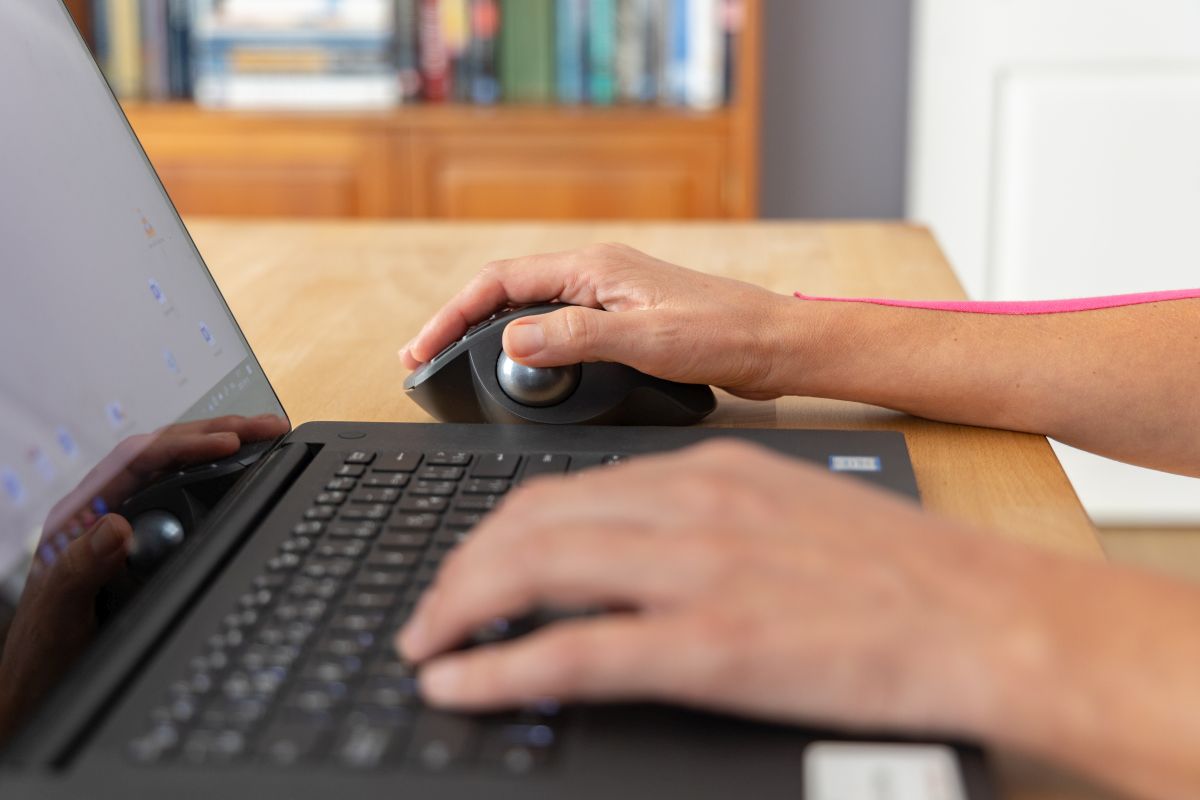
Looking for a more comfortable way to control your computer? We spent the past few weeks testing out Logitech’s newest trackball, and it’s a game-changer for anyone dealing with wrist strain or limited desk space.
The MX Ergo S is a major upgrade from standard mice. Its 20-degree tilt puts your hand in a natural position that reduced our forearm strain right away.
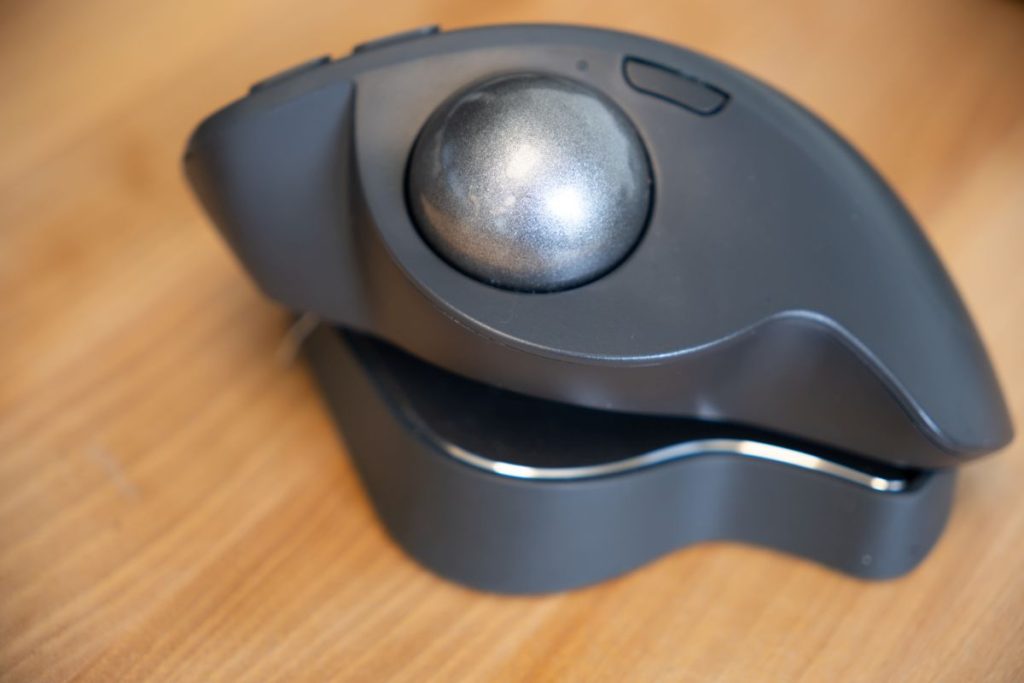
The precision trackball feels smooth and responsive under your thumb, making it easy to move your cursor exactly where you want it.
The rechargeable battery lasts an impressive 120 days, and a quick 1-minute charge gives you a full day of use. We love that it uses USB-C charging instead of older USB ports.
The six programmable buttons work great for speeding up common tasks. You can even connect to two devices at once and switch between them with one click.
Bottom Line
The Logitech MX Ergo mouse is perfect if you want a more comfortable and efficient way to work at your computer.
The ergonomic design and customizable features make it worth the investment for anyone who uses their computer regularly.

Get the MX Ergo S on Amazon to experience a more comfortable way to work!
Overview of the Logitech MX Ergo S Advanced Wireless Trackball Mouse
A truly comfortable ergonomic mouse is hard to find. The MX Ergo S brings major improvements to Logitech’s trackball lineup. The 20-degree tilt feels natural and reduces wrist strain during long work sessions.
The thumb-controlled trackball moves smoothly and precisely. You can adjust tracking speed instantly with the DPI button when you need extra precision. The clicks are much quieter than the previous model – a welcome upgrade for shared workspaces.
Battery life is impressive with up to 120 days on a full charge. A quick 1-minute charge gives you a full day of use. Switching between two devices is simple using Bluetooth or the included USB receiver.
The 6 programmable buttons work well with the Logi Options+ software to create custom shortcuts. Build quality feels solid with a soft rubber grip that keeps your hand comfortable. The mouse is sized best for medium to large hands.
This latest model brings USB-C charging and more sustainable materials, with 20% recycled plastic construction.
Ergonomic Design for Enhanced Comfort
The thumb-controlled trackball design helps you maintain a natural hand position while working. Your wrist stays in a relaxed pose thanks to the 20-degree tilt angle, which reduces forearm muscle strain by 27% compared to standard mice.
The MX Ergo S feels great in medium to large hands with its sculpted shape and soft rubber grip. Your palm rests comfortably on the contoured surface without any awkward pressure points.
You’ll notice the quiet clicking sound – it’s 80% quieter than the previous model. This makes a big difference in open offices or late-night work sessions.
The adjustable tilt stand lets you customize the angle for your perfect ergonomic position. After using it for hours, my hand felt noticeably less fatigued compared to a regular mouse.
Advanced Thumb Control for Precision
The thumb trackball sits perfectly under your digit, making cursor control smooth and natural.
You can switch between high-precision and speed modes with one quick tap. This dual-mode tracking adds lots of flexibility when you need to be exact or move fast across multiple screens.
The ball rolls smoothly with just the right amount of resistance. You won’t get thumb fatigue even after long work sessions. The tracking is responsive and accurate – great for detailed work like photo editing or precise clicking in spreadsheets.
The ball is easy to pop out for cleaning when needed. A quick wipe keeps the tracking sensors working like new. This helps maintain consistent precision over time.
The customizable speed settings let you dial in exactly how fast or slow you want the cursor to move. This makes the MX Ergo S adapt well to different tasks throughout your day.
Quick USB-C Charging and Connectivity
Quick charging is a standout feature of the MX Ergo S. A one-minute charge gives you 24 hours of use, which is perfect when you’re in a hurry. The full charge lasts up to 120 days of regular use.
The mouse connects through two methods. You can use the included Logi Bolt USB receiver for a secure connection, or switch to Bluetooth when you want to free up a USB port. An Easy-Switch button lets you change between devices fast.
You’ll need your own USB-C cable since one isn’t included in the box. The charging port is easy to access and works with both USB-C to USB-C or USB-A to USB-C cables.
Customizable Buttons with Logi Options+ App
Get ready to boost your work speed with quick shortcuts and custom button settings. The Options+ app lets you set up all 6 buttons on the MX Ergo S to do exactly what you want.
You can create shortcuts for apps you use often or make Smart Actions that combine multiple steps into one click.
The app works smoothly on both Windows and Mac. During testing, I found it simple to set up shortcuts for copying, pasting, and switching between apps. You can even make different button layouts for different programs.
One neat trick is setting the speed-switch button to toggle between fast scrolling for long documents and precise control for detailed work. The app shows clear pictures of each button, so you won’t get confused about which one does what.
Note: The basic mouse functions work without the app, but you’ll need Options+ to unlock the full customization features.
Eco-Friendly Construction
Going green matters when choosing computer accessories. The MX Ergo S trackball mouse takes steps to reduce its environmental impact. The body contains 20% post-consumer recycled plastic, certified by third parties.
You can feel good about using this trackball mouse as part of a more sustainable setup. The plastic parts show no quality difference compared to non-recycled materials. The build feels sturdy and premium in your hand.
The rechargeable battery also helps cut down on e-waste. You won’t need to throw away disposable batteries since the USB-C charging keeps it powered for months at a time.
Pros and Cons
A trackball mouse isn’t for everyone, but after testing this model for several weeks, it’s clear why many users choose it for their daily work.
Pros
- The USB-C charging is fast – a 1-minute charge gives you a full day of use
- The 20-degree tilt reduces wrist strain during long work sessions
- Clicks are much quieter than the previous MX Ergo model
- The thumb trackball moves smoothly and has adjustable tracking speed
- You can connect to two devices using Bluetooth or the included dongle
- The 6 buttons are easy to customize through Logi Options+ software
- The soft rubber grip feels good in medium to large hands
- Battery life stretches up to 120 days on a full charge
Cons
- The scroll wheel is still a bit noisy
- There’s no storage slot for the USB dongle
- The price is higher than standard mice
- It takes time to learn trackball control if you’re new to it
- The size might be too large for small hands
- Some users report occasional Bluetooth connection drops
- The tilt angle isn’t adjustable like some other ergonomic mice
Customer Reviews
The Logitech trackball mouse has earned strong praise from buyers, with a 4.5 out of 5 star rating from nearly 100 reviews. Users love the USB-C charging, which is a welcome upgrade from the previous model. The trackball feels smooth and responsive in daily use.
Many buyers appreciate the comfort during long work sessions. The ergonomic design helps reduce wrist strain compared to traditional mice. You can pair it with two devices and switch between them with a quick button press.
Durability seems good, with users reporting their previous MX Ergo models lasting 3-5 years of heavy use. The new version is noticeably quieter than before, especially the scroll wheel and clicks.
The Logitech+ software lets you customize the 6 buttons to match your workflow. While some users needed a few days to adjust to trackball use, most found it very intuitive after the initial learning curve.
The high price is the main complaint, but buyers feel the quality and features justify the cost.
Final Verdict
After spending weeks using this trackball, it’s easy to recommend the Logitech trackball wireless mouse. The USB-C charging is a welcome upgrade from the previous model, and the smooth tracking feels precise and natural.
You’ll enjoy the comfortable ergonomic design that keeps your wrist in a relaxed position all day.
The customizable buttons through Logitech’s software let you set up the perfect workflow for your needs. The dual connectivity options work great – switch between two devices with a quick tap. The build quality is solid and feels made to last.
The scroll wheel could be quieter, but that’s a small complaint. At this price point, you get excellent value for a premium trackball that can genuinely improve your daily computer use.
If you’re ready to try a high-quality trackball or upgrade from an older model, the MX Ergo S is worth picking up.
Author


Password Safe Review: Is This Offline Password Keeper Worth It?

KINESIS Advantage360 Professional Review: The Split Keyboard That Actually Fixed My Wrist Pain

Dell Inspiron 14 2-in-1 Laptop Review: The Versatile Powerhouse That Actually Delivers

UGREEN Revodok 105 USB C Hub Review: The 5-in-1 Solution That Actually Delivers

Desk Lamp with Wireless Charger Review

Ring Indoor Cam Review: Home and Business Security That Actually Works

Runelk iPad Keyboard Case Review: Transform Your iPad Into a Laptop

OWC Thunderbolt 5 Dock Review: A Desk Upgrade That Actually Makes You Faster

CheerDots AI Smart Mouse Review: The Future of Presentation Control

Yubico YubiKey 5C NFC Review

AI-Powered Technology For Better Sleep

AI Translation Glasses Review: Breaking Down Language Barriers

Lenovo ThinkPad E16 Business Laptop Review

HP 2025 17 Inch Laptop Review

Lenovo Ideapad 3 Business Laptop Review

Dell Latitude Laptop Computer 15.6 Review

HP 15.6 Laptop Computer Review For Both Work And Play

Kingston Ironkey Keypad 200 USB Review

Havit HV-F2056 Laptop Cooler Review
